Your people. Your shared photo album.

Everyone’s photos.
Without the chasing.

Give your night, trip, or celebration one place for everyone’s photos. Friends add theirs by link or group chat. You get the moments you missed.

  1. Add The Wallto your group chat
  2. Share the codewith your people
  3. Everyone’s photosland in one album

No account needed. Private by default.

Name & visibility options
Who can find this wall?

Public walls appear in Explore. Their photos and messages are visible to everyone.

THE WALL

One good night

Private
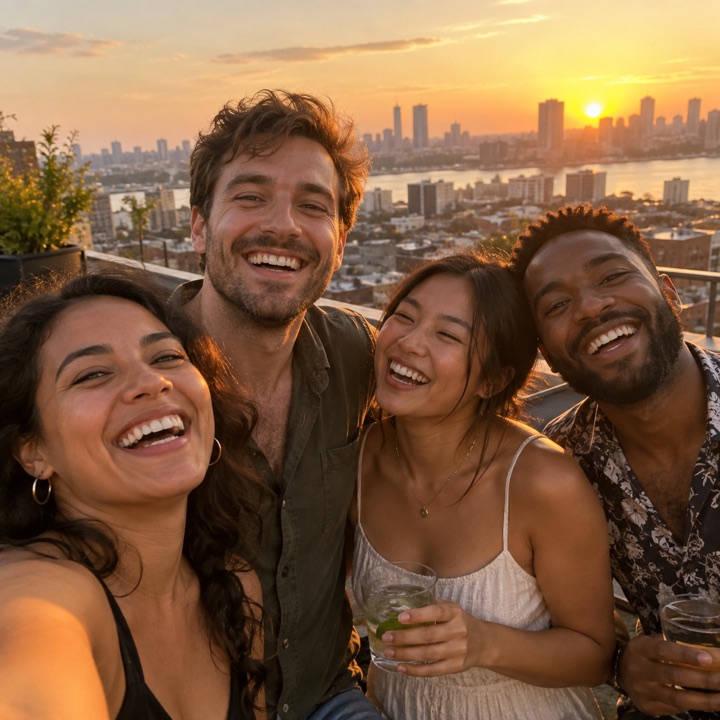
Illustrative photo of friends together on a rooftop at sunset
Jamie’s view
Illustrative photo of friends sharing pizza at a long outdoor table
Alex’s view

Same night. A little of everyone’s perspective.

You got the group photo?Yep, it’s on our wall.
See the phone → wall demo Illustration · AI-generated sample photos
For the things you do together

Birthdays Weekends away Weddings Just a good night

Make a wall. Bring your people.

One album. Two ways to add.

Everyone can contribute.
No app to download.

A link everyone can use.

Share your guest link or QR code. Friends open it, choose photos, and post straight to your wall. No sign-up in the way.

For any guest with a phone and a browser

Or bring your group chat.

Add The Wall’s contact to a supported group chat and send your wall’s code. From then on, photos your friends share in that chat land on your wall automatically — nobody has to upload anything twice.

See the setup in the demo

You can turn this off for a chat whenever you want. Group-chat support varies by phone and messaging app.

Worth coming back to

For the photos
you didn’t take.

The group shot. The late pizza. The bit you missed. Open your wall and see it from everyone’s side, with the photos together and ready to revisit.

Start your group’s wall Free to start. Guests never pay.

A few good things to know.

Does everyone need an account?

No. You can create a wall with just a name for the occasion. Guests open the invite link and upload from their browser. As the host, you can sign in later to keep access across devices.

Who can see the photos?

Walls start private: anyone with the invite link can join and view what’s shared, so give that link only to your people. Only content people share is added; The Wall doesn’t access anyone’s camera roll automatically. Public walls are an optional choice when you create one.

How do I stop a group chat from adding photos?

Turn it off from the wall’s settings at any time. Photos already on the wall stay. Turning it off doesn’t remove The Wall’s contact from the chat, so remove it there too when you’re done — or start a new group without it.

What’s included?

Everything — unlimited photos, videos and messages, for every wall and every guest. No account, no payment, no limits.